


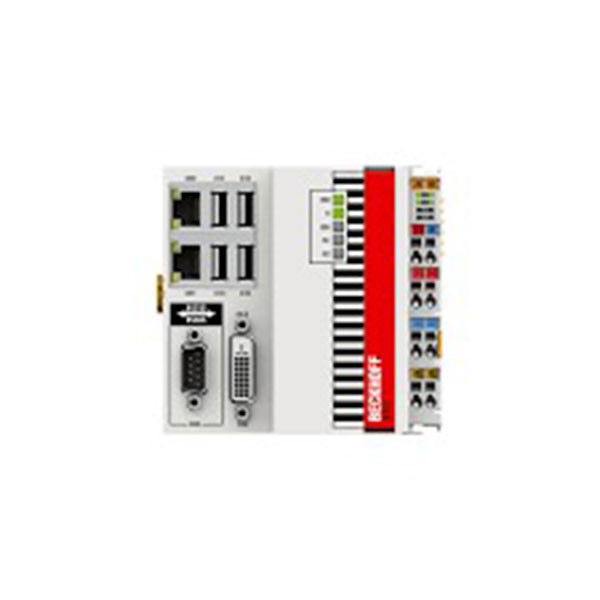
CX5020-0111 Beckhoff Embedded PC Windows Embedded CE6.0 IPC
Inhouse product



CX5020-0111 Beckhoff Embedded PC Windows Embedded CE6.0
CX5020-0111-Beckhoff Embedded PC-Windows Embedded-CE6.0. The CX5020-0111 Beckhoff Embedded PC Windows Embedded CE6.0. The CX5020-0111-Beckhoff Embedded PC-Windows Embedded-CE6.0. CX5010 and CX5020 are Set PC from the CX5000 series based on Intel Atom processors
The Beckhoff CX5020-0111 is an Embedded PC designed for industrial automation applications. This device integrates with the Windows Embedded CE 6.0 operating system, providing a robust platform for control tasks in various industrial settings. Here are some key features and specifications:
Key Features of Beckhoff CX5020-0111
- Processor: Intel® Atom™ Z530, 1.6 GHz.
- RAM: 1 GB DDR2 RAM.
- Storage: Compact Flash card (CFast) slot for storage expansion.
- Operating System: Windows Embedded CE 6.0.
- Interfaces:
- 2 x Ethernet 10/100/1000BASE-T.
- 4 x USB 2.0.
- DVI-I interface.
- Optional interfaces like RS232, RS422/485, CANopen, PROFIBUS, etc.
- Power Supply: 24 V DC.
- I/O Expansion: Compatible with Beckhoff Bus Terminals (K-bus) and EtherCAT Terminals (E-bus).
- Mounting: DIN rail mounting.
Advantages
- Compact Design: Suitable for space-constrained environments.
- Real-Time Capabilities: Ideal for real-time control applications.
- Flexibility: Wide range of interfaces and expansion options.
- Industrial Grade: Designed to withstand harsh industrial conditions.
Applications
- Machine Automation: For controlling various machinery in manufacturing.
- Building Automation: Managing HVAC, lighting, and security systems.
- Process Control: Monitoring and controlling industrial processes.
- Embedded Systems: Use in embedded systems that require reliable and consistent performance.
Setup and Configuration
- Installation: Mount the CX5020-0111 on a DIN rail.
- Power Connection: Connect a 24 V DC power supply.
- Network Configuration: Connect to an Ethernet network for communication.
- Storage Setup: Insert a CFast card for additional storage if needed.
- OS Setup: Windows Embedded CE 6.0 should be pre-installed; configure it as per your application requirements.
- Programming: Use TwinCAT software for programming and control logic development.
Maintenance and Support
- Firmware Updates: Ensure the firmware is up-to-date for optimal performance.
- Beckhoff Support: Utilize Beckhoff’s technical support for troubleshooting and assistance.
- Documentation: Refer to the Beckhoff documentation for detailed installation, configuration, and maintenance guides.
This Embedded PC offers a reliable and flexible solution for various industrial automation needs, leveraging the robust capabilities of Windows Embedded CE 6.0 for real-time control and monitoring tasks.
Related products


Signup For Newsletter
we'll never share your email address with a third-party
Be A Seller
Apply NowContact US
- Address: Elite House (6th floor),54, Motijheel C/A, Dhaka 1000.
- Phone: +8801737-042829
- Email: info@sellcobd.com


